
Back to changelogs
v4.4.2
Livity v4.4.2 — Garmin Integration & Heart Rate Recovery
New Features
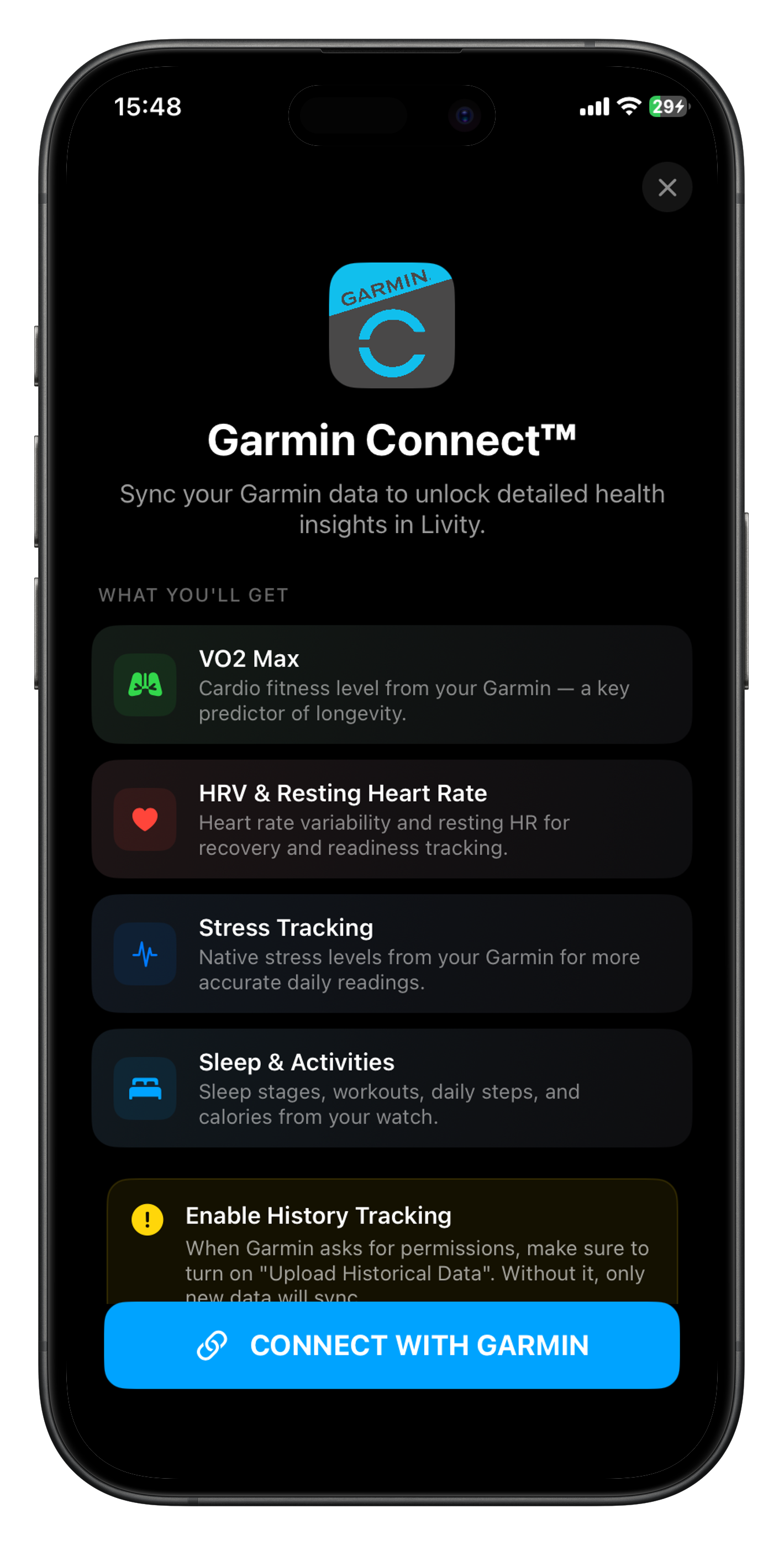
- Garmin Connect Integration — Sync your Garmin data to unlock VO2 Max, HRV, resting heart rate, stress tracking, sleep stages, and daily activities directly in Livity
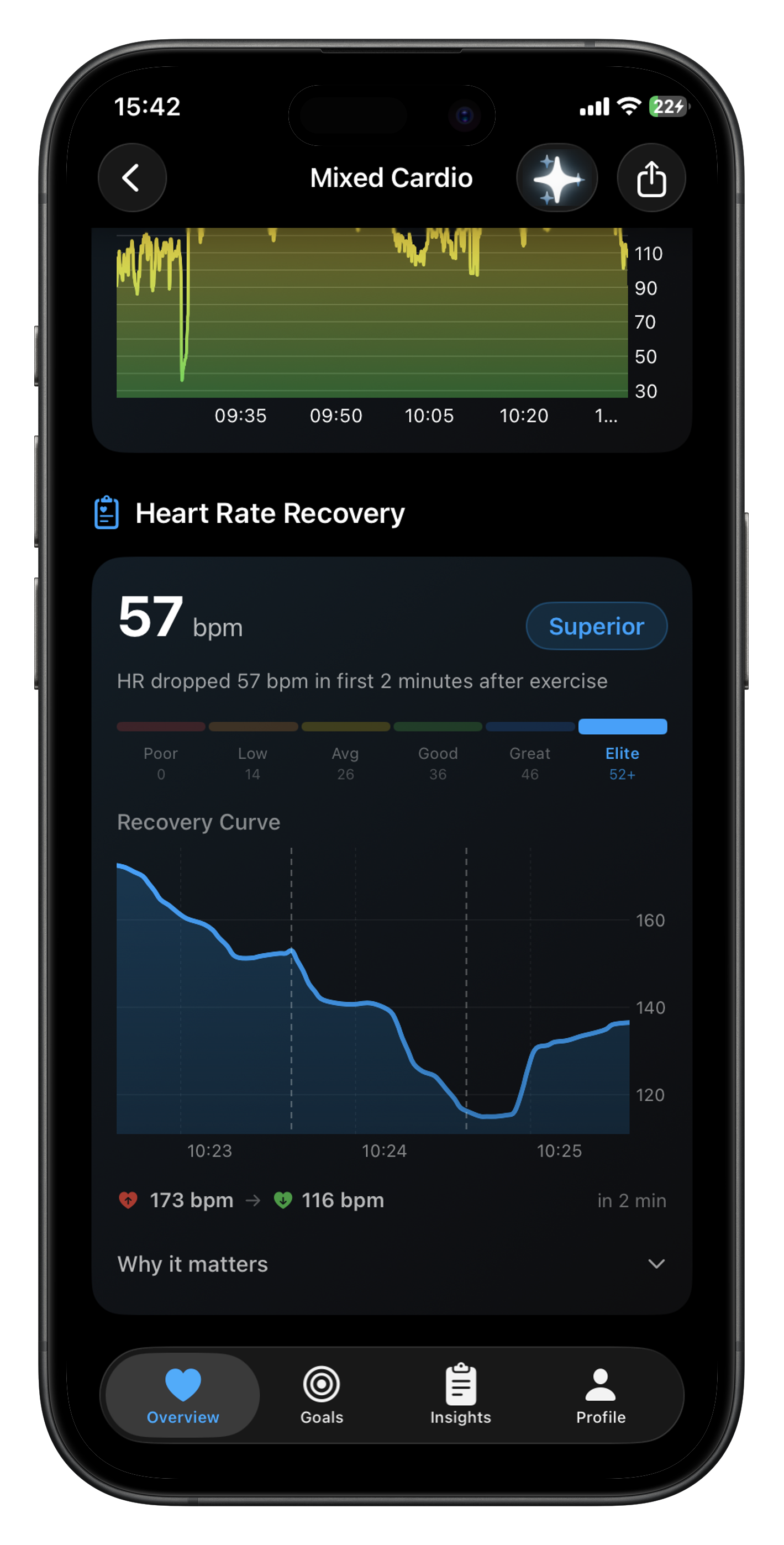
- Heart Rate Recovery — See how quickly your heart rate drops after a workout, with a recovery curve chart and fitness rating from Poor to Elite
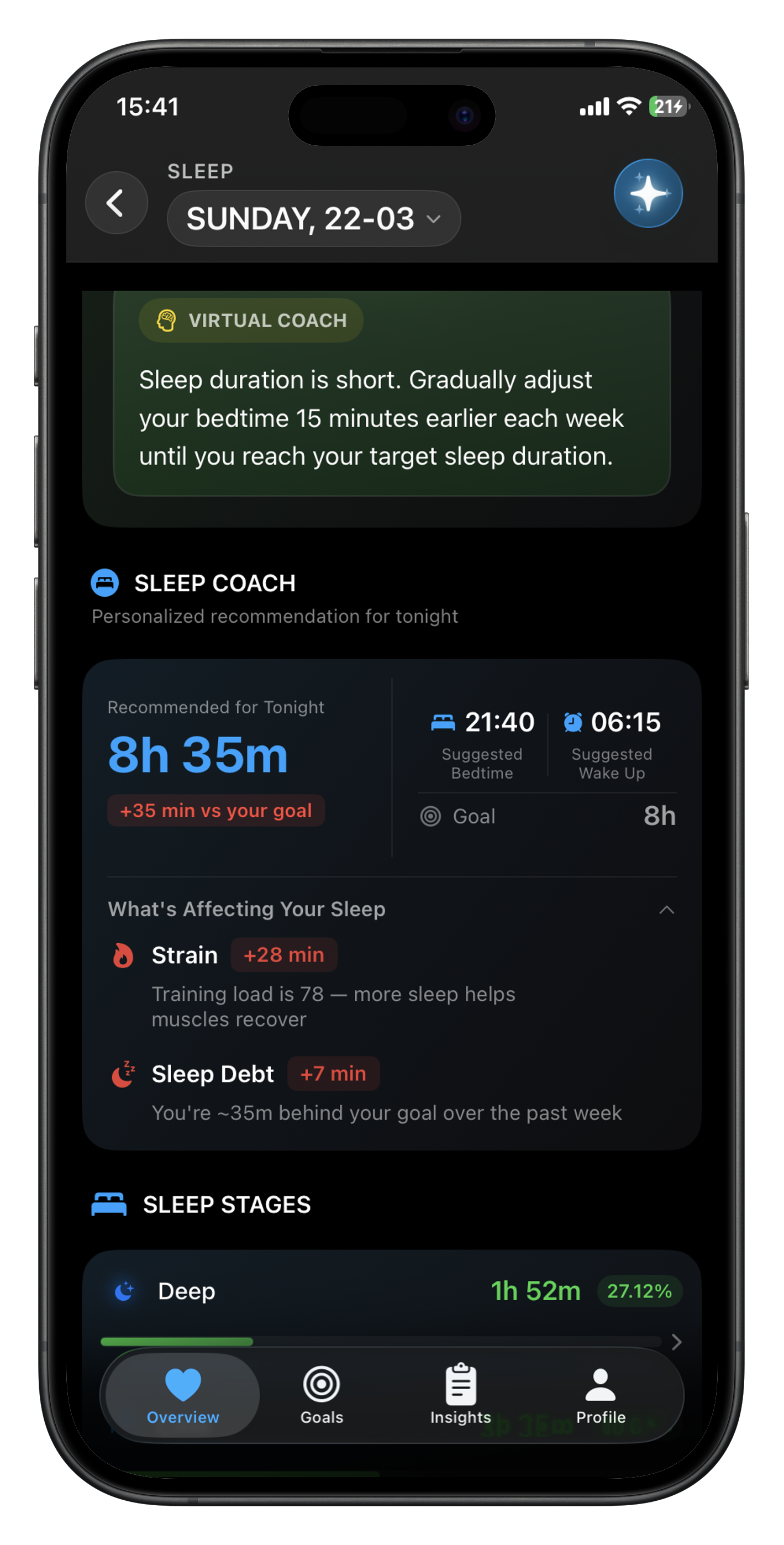
- Sleep Coach — Personalized sleep recommendations with suggested bedtime and wake time, plus factors affecting your sleep like training strain and sleep debt, available on both iPhone and Apple Watch
- Integrations Hub — New Integrations section in Profile to manage your Garmin and Apple Watch connections in one place
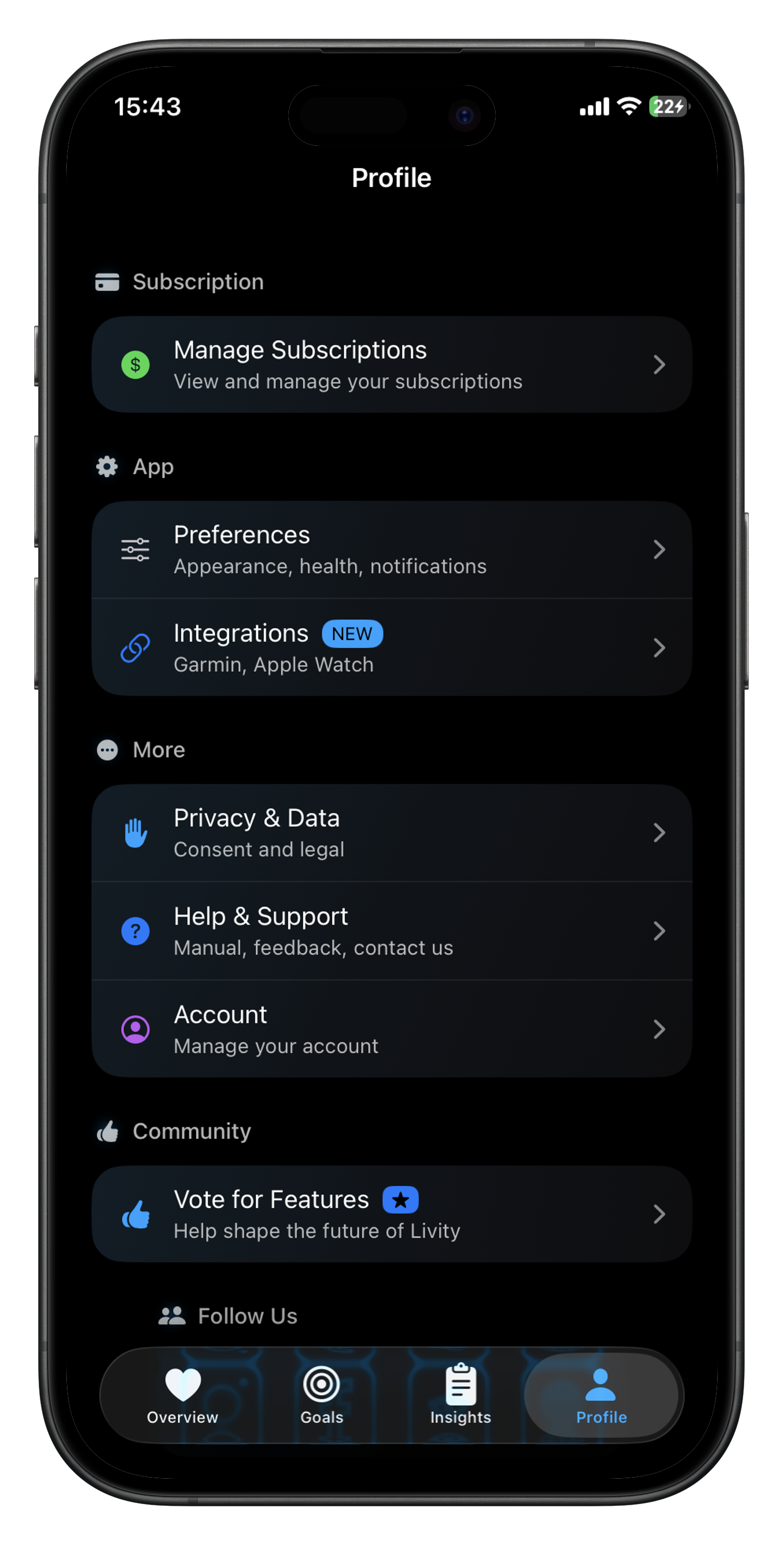
- Vote for Features — Help shape the future of Livity by voting and submitting feature ideas at livity-app.klero.ai
- Menstrual Cycle Indicators — Cycle phase indicators now appear in your recovery view for deeper insight into how your cycle affects recovery
- Bedtime Notification — Sleep Coach can remind you when it's time to wind down based on your personalized recommendation
Improvements
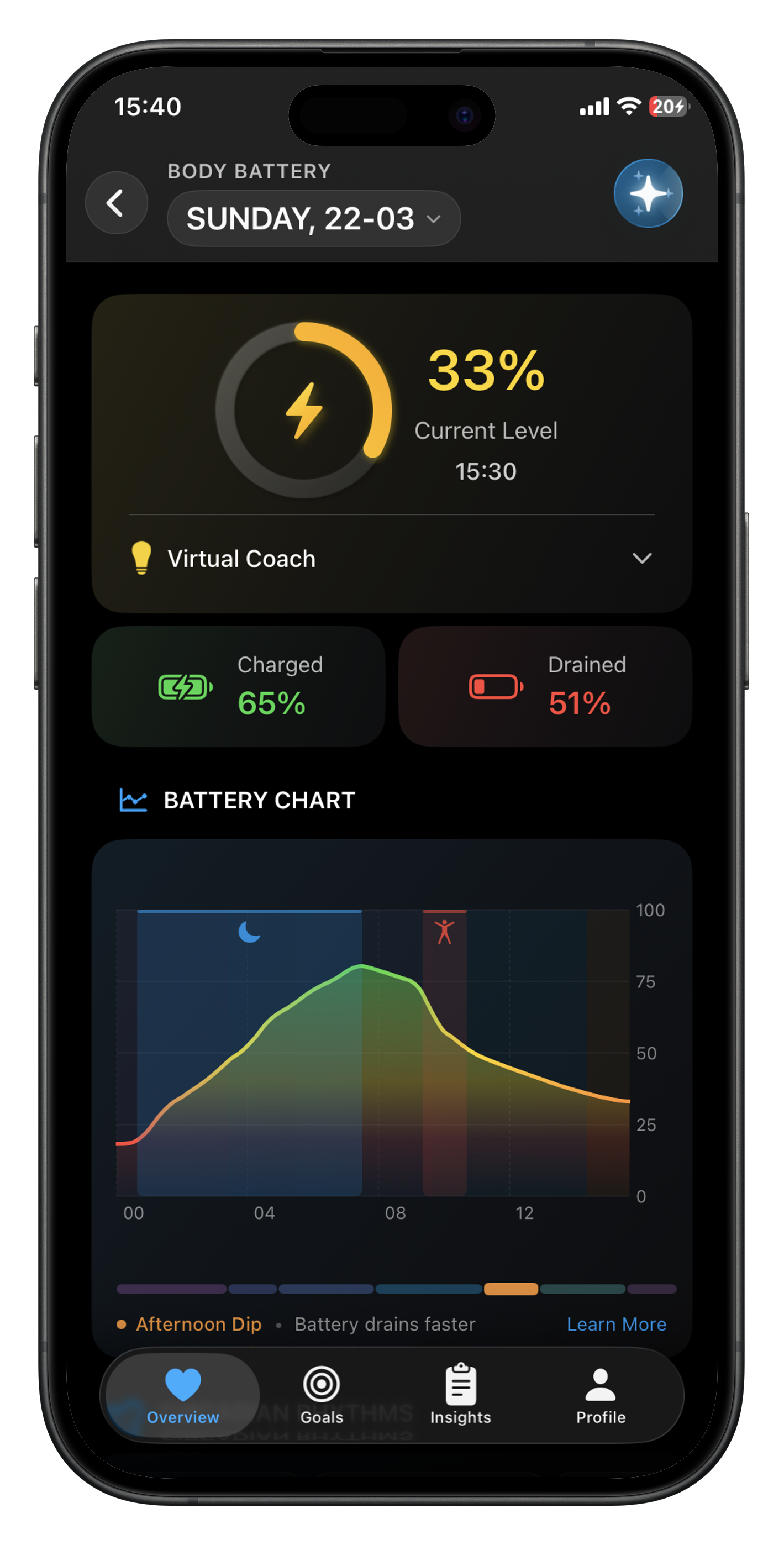
- Body Battery Chart — Redesigned with smooth gradient fills, charged/drained percentages, and circadian rhythm insights like afternoon energy dips
- Chart Redesign — All detail screen charts now use smooth lines with premium gradient styling across Overview, Reports, and Monthly Reports
- Profile Screen Redesign — Cleaner layout with organized sections for Subscription, App settings, Privacy, Help, and Community
- Activities List Redesign — Monthly summaries, filtering, and a cleaner layout for your workout history
- Garmin-Specific Steps & Energy — Garmin users see step counts and calories from their Garmin device without mixing in other sources
- Notifications for Health Data — New alerts for weight, blood pressure, and nutrition data
- Apple Watch Trend Charts — Larger dots and average lines for better readability on smaller screens
- Better Logging — Built-in diagnostic log export so you can easily share logs with our support team when something goes wrong
- Connect to Apple Watch from Profile — Quickly pair or manage your Apple Watch connection directly from the Profile screen
Bug Fixes
- Fixed body battery recharge rates showing inaccurate values during low recovery sleep
- Fixed negative Garmin stress values appearing in stress tracking
- Fixed sleep chart performance issues and shrunken text on certain devices
- Fixed battery indicator rings flickering while loading
- Fixed menstrual cycle ring layout on the overview card
- Fixed sleep stage sizing and consistency chart display
- Fixed watch app charts overflowing their containers
- Fixed circadian phase calculations and shimmer transitions
- Hidden respiratory rate, SpO2, and wrist temperature rows when no data is available