Best Sleep Trackers in 2026 That Don't Require Extra Hardware

Best Sleep Trackers in 2026 That Don't Require Extra Hardware
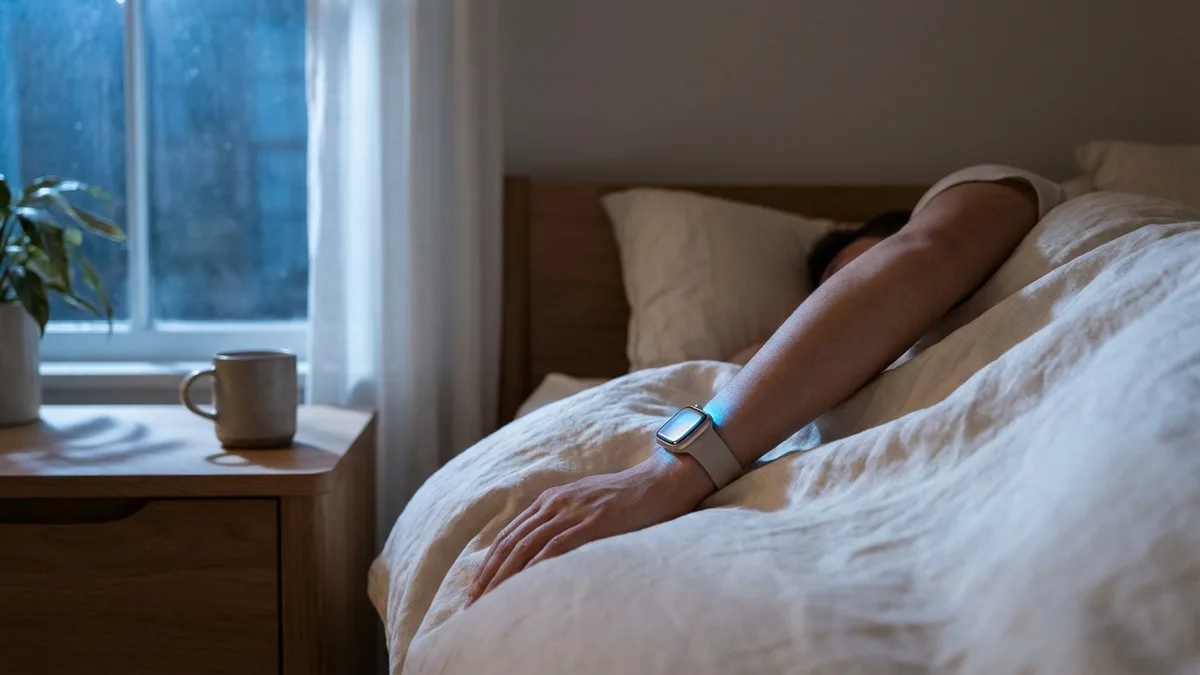
You already own a sleep tracker. You're probably wearing it right now.
If you have an Apple Watch, you're carrying the same core sensors found in the Oura Ring and Whoop strap — optical heart rate, accelerometer, blood oxygen, and even skin temperature (Series 8+). The only difference is the software analyzing the data.
And in 2026, that software has gotten really good.
You don't need to spend $349 on an Oura Ring or commit to a $30/month Whoop subscription to understand your sleep. A growing number of sleep tracking apps work entirely with the hardware you already own — your Apple Watch, or even just your iPhone.
Here are the best ones, tested and compared.
What to Look For in a Sleep Tracker
Before diving into individual apps, it helps to know which metrics actually matter for sleep tracking. Not all features are created equal.
Sleep stages (Deep, REM, Light/Core) — This is the foundation. Deep sleep is when your body physically recovers. REM sleep is when your brain consolidates memories and processes emotions. A good tracker breaks your night into these stages so you can see patterns over time.
Heart rate variability (HRV) — HRV measures the variation between heartbeats and is one of the strongest indicators of recovery and autonomic nervous system health. A 2026 validation study found that consumer wearables like Apple Watch measure HRV within 10 milliseconds of clinical ECG — accurate enough for meaningful trend tracking.
Sleep consistency — Research increasingly shows that when you sleep matters almost as much as how long. Irregular sleep-wake patterns have been linked to mood disorders and cognitive decline. Look for apps that track bedtime and wake-time consistency.
Smart alarm — The best sleep trackers can wake you during a lighter sleep phase within a window you set, so you feel less groggy in the morning.
Recovery and readiness scores — A single number that tells you how recovered you are based on overnight data. Not every app offers this, but it's one of the most actionable features a sleep tracker can provide.
Privacy — Your sleep data is deeply personal health information. Some apps process everything on-device; others upload your data to their servers. Worth knowing the difference.
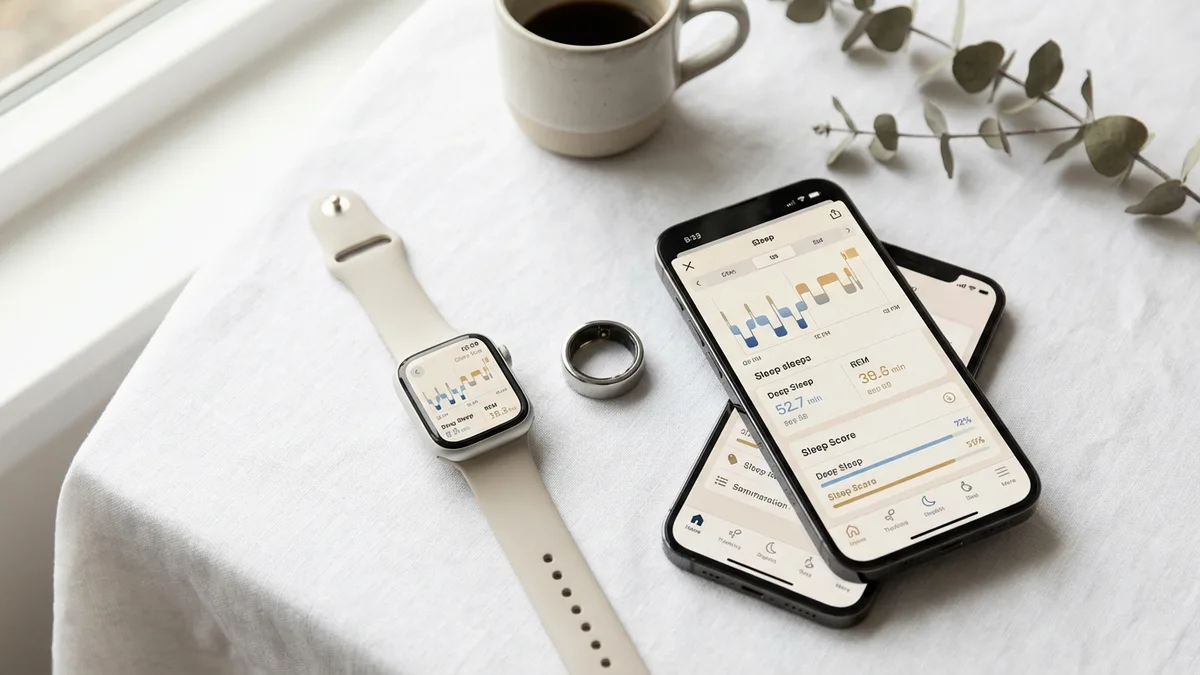
The Best Sleep Tracking Apps in 2026
1. Apple Sleep (Built-in)
Best for: People who want basic sleep tracking with zero setup
Apple's built-in Sleep app has come a long way. With watchOS 26, it now delivers a daily Sleep Score (0-100), sleep stage tracking (Deep, REM, Core), and respiratory rate monitoring — all without installing anything.
What it does well:
- Completely free with no subscription or account required
- Sleep stages are reasonably accurate using Apple's own algorithm
- Integrates seamlessly with the Health app and Sleep Focus mode
- Minimal battery impact compared to third-party apps
- Tracks respiratory rate and blood oxygen overnight
Limitations:
- No HRV analysis or recovery scores
- No smart alarm feature
- Limited historical trends — you can see individual nights but lack deeper pattern analysis
- No actionable guidance on what to do with the data
- Sleep detection can miss naps entirely
Pricing: Free (built into watchOS)
Apple Sleep is the baseline. It's perfectly fine if all you want is a quick glance at how long you slept and a rough quality score. But if you want to actually use your sleep data to make better decisions, you'll want something more.
2. AutoSleep
Best for: Data enthusiasts who want deep metrics without a subscription
AutoSleep is the veteran of Apple Watch sleep tracking, and it remains one of the most comprehensive options available. It works automatically — just wear your Apple Watch to bed and it handles the rest.
What it does well:
- Fully automatic tracking with no manual input needed
- Incredibly detailed data: sleep duration, quality, deep sleep, HRV, SpO2, respiratory rate, and noise levels
- Readiness score based on sleep quality, HRV, and waking heart rate
- Sleep Bank feature that tracks your sleep debt over time
- Smart alarm with haptic wake-up during light sleep
- HomeKit integration for smart home automation
- One-time purchase — no subscription, ever
- Strong privacy: no analytics tracking, no data uploads, all data stays on-device
Limitations:
- The interface can feel overwhelming — there's a lot of data crammed into each screen
- Tends to be generous with sleep quality ratings
- Requires Apple Watch (no iPhone-only option)
- The learning curve is steeper than simpler alternatives
Pricing: $7.99 one-time purchase
AutoSleep is the power user's choice. If you want maximum data for a single payment with no ongoing costs, it's hard to beat. Just be prepared to spend some time learning to read its dashboards.
3. Sleep Cycle
Best for: People who struggle with mornings and want a smarter alarm
Sleep Cycle takes a different approach. While other apps focus on what happened while you slept, Sleep Cycle focuses on how you wake up. Its smart alarm analyzes your sleep phase and wakes you during the lightest stage within a 30-minute window.
What it does well:
- One of the best smart alarm implementations — genuinely makes mornings easier
- Works with or without an Apple Watch (can use iPhone microphone/accelerometer alone)
- AI-powered sound analysis detects snoring, coughing, and sleep-talking
- Clean, intuitive interface that's easy to understand
- Cross-platform — works on both iOS and Android
- Sleep quality score and long-term trend analysis
Limitations:
- The free version is quite limited — no snore detection, limited history
- No recovery or readiness scores
- HRV tracking is basic compared to dedicated health apps
- Phone-only tracking is less accurate than watch-based tracking
- Sleep stage accuracy has been questioned in some independent tests
Pricing: Free basic version; Premium at $29.99/year (7-day free trial)
Sleep Cycle is the best option if your main goal is waking up feeling better. The smart alarm alone is worth it for people who consistently feel groggy. Just know that its sleep analysis isn't as deep as some competitors.
4. Pillow
Best for: Visual learners who want beautiful sleep data
Pillow stands out with one of the most polished and visually appealing interfaces of any sleep app. It provides detailed sleep stage analysis with charts that are genuinely pleasant to read.
What it does well:
- Beautiful, well-designed interface with clear sleep stage visualizations
- Works with Apple Watch, iPhone, or iPad (places device on mattress for motion tracking)
- Records sleep sounds — snoring, talking, ambient noise
- Smart alarm with customizable wake-up melodies
- Nap tracking with customizable presets
- Heart rate, respiratory rate, and blood oxygen tracking
- Built-in sleep aid library with meditations and soundscapes
Limitations:
- Premium subscription required for full features (free version is quite restricted)
- Motion-based tracking (phone-only) may overestimate deep sleep compared to watch-based tracking
- No recovery scores or readiness features
- Some users report inconsistent automatic sleep detection
Pricing: Free with limited features; Premium at approximately $4.99/month or discounted annual plans
Pillow is a solid choice if you value design and want sleep sounds plus a smart alarm. The phone-only option is a nice fallback, but you'll get much better data with an Apple Watch.
5. SleepWatch
Best for: People who want AI-powered sleep coaching
SleepWatch leans heavily into artificial intelligence to provide personalized insights. It doesn't just show you what happened — it tries to explain why and tell you what to change.
What it does well:
- AI-powered personalized sleep coaching and recommendations
- Correlates sleep data with daily habits to find patterns
- Smart alarm that finds optimal wake-up times
- Comprehensive biometric tracking: heart rate, HRV, blood oxygen, sleep disruptions
- Sound recording for snoring, coughing, and sleep-talking
- Customizable white noise library for falling asleep
- SleepWatch Score provides a readiness-style metric
Limitations:
- Many features locked behind premium subscription
- The AI coaching can sometimes feel generic
- Interface is functional but not as polished as Pillow
- Can be aggressive with notification and upgrade prompts
Pricing: Free basic version; Premium from $3.99-$5.99/month or $19.99-$39.99/year (varies by region)
SleepWatch is worth trying if you want an app that tells you what to do about your sleep data, not just displays it. The habit correlation feature — seeing how caffeine, exercise timing, or screen use affects your sleep — is genuinely useful.
6. Livity
Best for: People who want sleep tracking connected to overall recovery and daily readiness
Most sleep trackers exist in isolation. They tell you how you slept but don't connect that data to the rest of your day. Livity takes a different approach by integrating sleep analysis into a broader health picture — recovery scores, body battery, stress monitoring, and training load all work together.
What it does well:
- Recovery score every morning based on overnight HRV, resting heart rate, and sleep quality — tells you whether to push hard or take it easy
- Body battery tracks your energy level throughout the day, draining during activity and stress, recharging during rest
- Complete sleep stage analysis (Deep, REM, Core) with sleep score
- HRV trend tracking with context about what's affecting it
- Stress monitoring throughout the day, not just during sleep
- Training load analysis so your workouts and recovery stay balanced
- Sleep Coach with personalized bedtime recommendations
- Privacy-first: all data processed on-device, no cloud uploads, no account required
- 8+ Apple Watch complications and 11+ home screen widgets
Limitations:
- Requires Apple Watch (no iPhone-only tracking)
- Full features require a subscription
- Newer app with a smaller community compared to AutoSleep or Sleep Cycle
- No sleep sound recording
- No smart alarm feature
Pricing: Free base version; Premium at $9.99/month or $59.99/year. Weekly plan available at $3.99/week.
What sets Livity apart is that sleep tracking is part of a bigger system. Your sleep data directly feeds into your recovery score and body battery, which informs your training decisions. If you're someone who exercises regularly and wants to understand the connection between sleep and performance, this integration is genuinely useful.
📱 Livity combines sleep tracking with recovery scores, body battery, and HRV analysis — all from your Apple Watch. No extra hardware needed. Try it free →
Honorable Mentions
Sleep++ (Free) — A completely free, no-frills sleep tracker. It tracks sleep duration and basic quality using your Apple Watch with zero setup. Great if you just want sleep data in Apple Health without any bells or whistles.
NapBot ($9.99 one-time) — AI-powered sleep and nap tracker with a focus on breathing quality analysis. Unique for its dedicated nap-tracking capabilities and machine learning approach.
HeartWatch ($3.99 one-time) — Technically a heart rate app, but its overnight heart rate analysis and resting HR trends make it a solid companion to any sleep tracker.
Comparison Table
| Feature | Apple Sleep | AutoSleep | Sleep Cycle | Pillow | SleepWatch | Livity |
|---|---|---|---|---|---|---|
| Sleep stages | ✅ | ✅ | ✅ | ✅ | ✅ | ✅ |
| Sleep score | ✅ | ✅ | ✅ | ✅ | ✅ | ✅ |
| HRV tracking | ❌ | ✅ | Basic | ❌ | ✅ | ✅ |
| Recovery/readiness score | ❌ | ✅ | ❌ | ❌ | ✅ | ✅ |
| Body battery/energy | ❌ | ❌ | ❌ | ❌ | ❌ | ✅ |
| Smart alarm | ❌ | ✅ | ✅ | ✅ | ✅ | ❌ |
| Sleep sound recording | ❌ | ✅ | ✅ | ✅ | ✅ | ❌ |
| Stress monitoring | ❌ | ❌ | ❌ | ❌ | ❌ | ✅ |
| Training load | ❌ | ❌ | ❌ | ❌ | ❌ | ✅ |
| Works without Apple Watch | ❌ | ❌ | ✅ | ✅ | ❌ | ❌ |
| On-device privacy | ✅ | ✅ | ❌ | ❌ | ❌ | ✅ |
| Pricing | Free | $7.99 once | $29.99/yr | ~$4.99/mo | ~$3.99/mo | $9.99/mo |
Do You Really Need Extra Hardware?
The short answer: probably not.
The Oura Ring ($349 + $6/month), Whoop ($30/month with no option to buy), and dedicated sleep trackers like the Withings Sleep Mat ($100+) all have their strengths. But they're solving a problem that software has largely caught up to.
Your Apple Watch Series 6 or newer already has:
- Optical heart rate sensor for continuous HR and HRV
- Accelerometer and gyroscope for sleep stage detection
- Blood oxygen (SpO2) sensor for overnight oxygen monitoring
- Skin temperature sensor (Series 8+) for cycle and illness tracking
These are the same fundamental sensors that Oura and Whoop use. The difference is in the algorithms — and as the Sleep Foundation's 2026 tracker review notes, the accuracy gap between dedicated hardware and Apple Watch-based apps has narrowed significantly.
There are two legitimate reasons to buy dedicated sleep hardware:
- You hate wearing a watch to bed. The Oura Ring is genuinely more comfortable for sleeping. If a watch on your wrist bothers you at night, no app can fix that.
- You don't own an Apple Watch. Phone-only tracking (available in Sleep Cycle and Pillow) works, but it's measurably less accurate than wrist-based tracking.
For everyone else, the right app on your existing Apple Watch delivers 90% of what dedicated hardware offers — at a fraction of the cost.
Frequently Asked Questions
What is the most accurate sleep tracker app for Apple Watch? AutoSleep and Livity are consistently rated among the most accurate for Apple Watch sleep tracking, as both pull data directly from Apple Watch sensors including heart rate, HRV, accelerometer, and blood oxygen. However, no consumer sleep tracker matches clinical polysomnography — sleep stage accuracy across all wearables typically falls between 50% and 86% sensitivity compared to lab testing.
Can I track sleep with just my iPhone (no Apple Watch)? Yes. Sleep Cycle and Pillow both offer iPhone-only tracking using your phone's microphone and accelerometer. Place the phone on your mattress or nightstand and it detects movement and sound. However, this method is less accurate than Apple Watch tracking because it can't measure heart rate, HRV, or blood oxygen.
Is the built-in Apple Watch sleep tracker good enough? For basic sleep tracking, yes. watchOS 26 added a daily Sleep Score, sleep stages, and respiratory rate tracking. But it lacks HRV analysis, recovery scores, smart alarms, and actionable insights. If you want to actually improve your sleep based on data, a third-party app adds meaningful value.
Do sleep tracker apps drain Apple Watch battery? Most sleep tracking apps use 10-20% battery overnight. If you charge your Apple Watch for 30-45 minutes before bed (during your evening routine) and again briefly in the morning, battery life is rarely an issue with Series 6 and newer.
What's the best free sleep tracker app? Apple's built-in Sleep app is the best truly free option. Sleep++ is another completely free option with no paywalls. Sleep Cycle, Pillow, and SleepWatch all offer free tiers, but their most useful features require paid subscriptions.
Should I track HRV during sleep? Yes — overnight HRV is more reliable than daytime measurements because your body is in a controlled resting state. Tracking HRV trends over weeks reveals patterns in recovery, stress, and overall health that single-night readings miss. A sustained drop in overnight HRV can signal illness, overtraining, or accumulated stress before you feel symptoms.
Start Tracking Your Sleep Tonight
You don't need to spend $300 on an Oura Ring or commit to a Whoop subscription to understand your sleep. Your Apple Watch already collects the data — you just need the right app to make sense of it.
Livity turns your Apple Watch sleep data into recovery scores, body battery, and actionable insights — all processed privately on your device. Free to try on the App Store.

iOS developer with 7+ years of experience and an active volleyball player. Built Livity after spending months looking for advanced recovery and sleep tracking that worked natively with Apple Watch — and finding nothing. Uses his own HRV, sleep, and training-load data every day to shape what Livity measures.
More from this authorStart Your Wellness Journey Today
Live Your Best Life
Join thousands of users who are already tracking their health with Livity.