
Whoop vs Livity
Three years on Whoop's Peak plan is $717. Stop paying and it stops working.
I'm Martynas, and I built Livity. Here's an honest comparison — including the things Whoop does better than I can.

Free to download · 4.7★ on the App Store
The part that changed my mind
You're not buying it. You're renting it.
The band comes with the membership. Serve out your commitment and the strap is yours to keep — it just stops working. No membership, no recovery score, no strain, and your history stays locked away until you start paying again.
Leave before the commitment is up and you send the hardware back or get billed for it.
There's also no free tier. There is no version of Whoop that costs nothing, so there's no way to find out whether you like it without starting the meter.
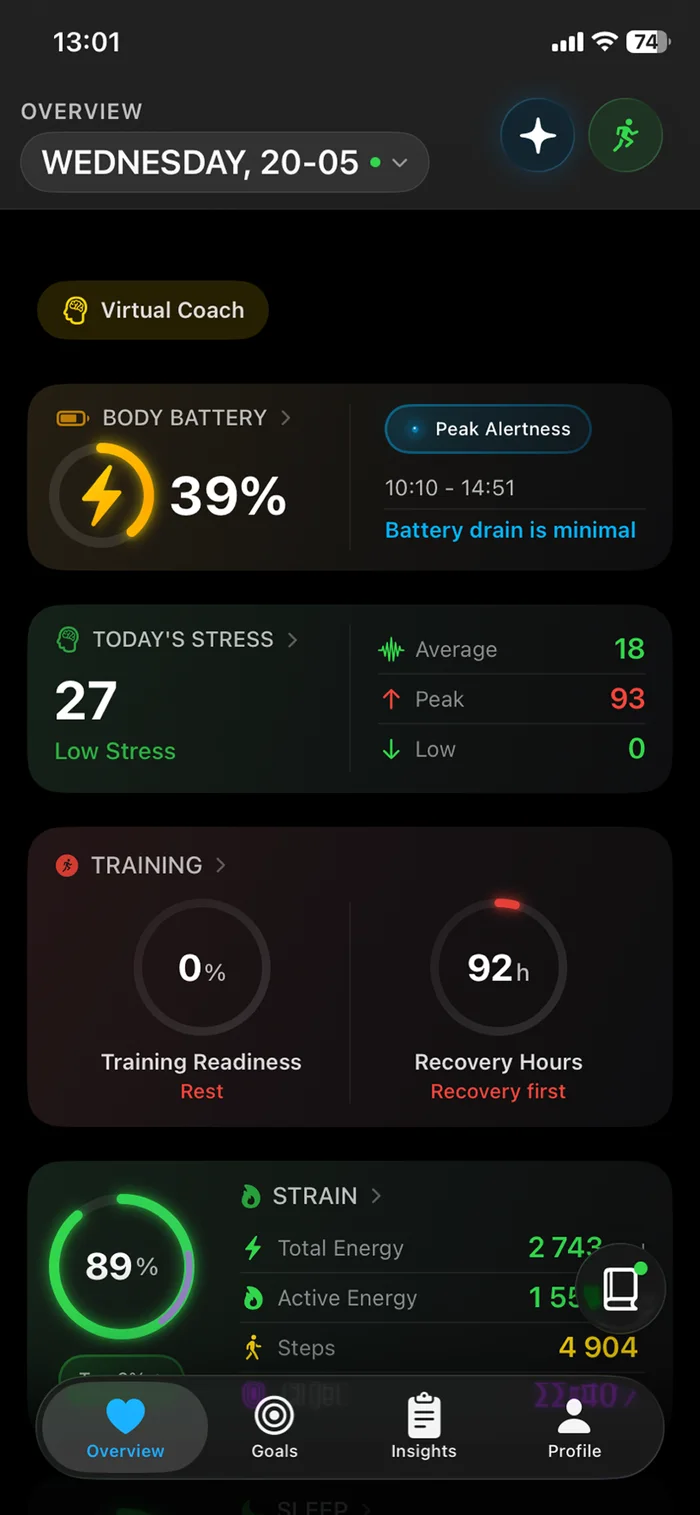
Your watch keeps working when you stop paying. That's the whole difference. Livity reads the Apple Watch, Garmin or Fitbit already on your wrist — no band to rent, and nothing to send back.
First, what Whoop gets right
I want to be straight with you, because Whoop is a serious product and some of it is better than what I can offer.
- The recovery and strain model is excellent. They have been refining it for years and athletes trust it for a reason.
- WHOOP MG does things Livity cannot. It has an FDA-cleared ECG for atrial fibrillation and cuffless blood pressure estimates. Livity has neither, and I'm not going to pretend otherwise.
- Two weeks of battery, and no screen to distract you. It's comfortable around the clock in a way a watch isn't.
If you want a dedicated recovery device and you don't mind renting it indefinitely, Whoop is a good one. This page is for everyone else.
The part the ads skip
What the subscription doesn't cover
It needs your phone to know where you went
The strap has no built-in GPS — WHOOP says so directly. Route, pace and elevation come from the phone in your pocket, so it has to come with you.
There is no screen
No time, no notifications, no glance at your heart rate mid-set. Everything goes through your phone, which is why most people wear a watch as well.
So you are paying for a second device
If a watch is already on your wrist, the subscription buys you a band that covers part of what you own — and stops working the moment you stop paying.
You cannot try it for nothing
There is no free tier. The only way to find out whether the insights are worth it is to start paying for them.
The bit that surprised me
Your watch already measures nearly all of it
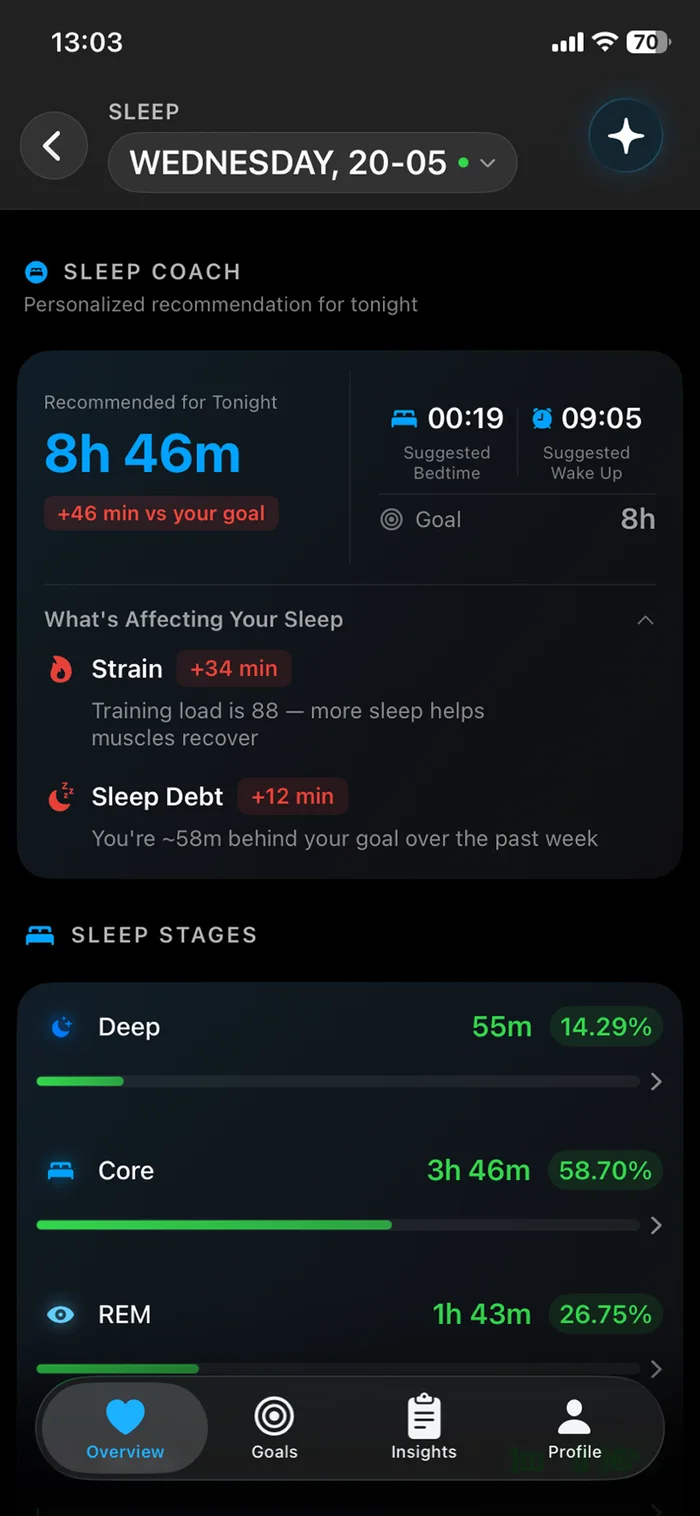
Depending on your model, the watch on your wrist is already recording:
- Sleep stages — light, deep and REM
- Heart rate variability (HRV)
- Resting heart rate
- VO₂ max
- Wrist temperature
- Blood oxygen
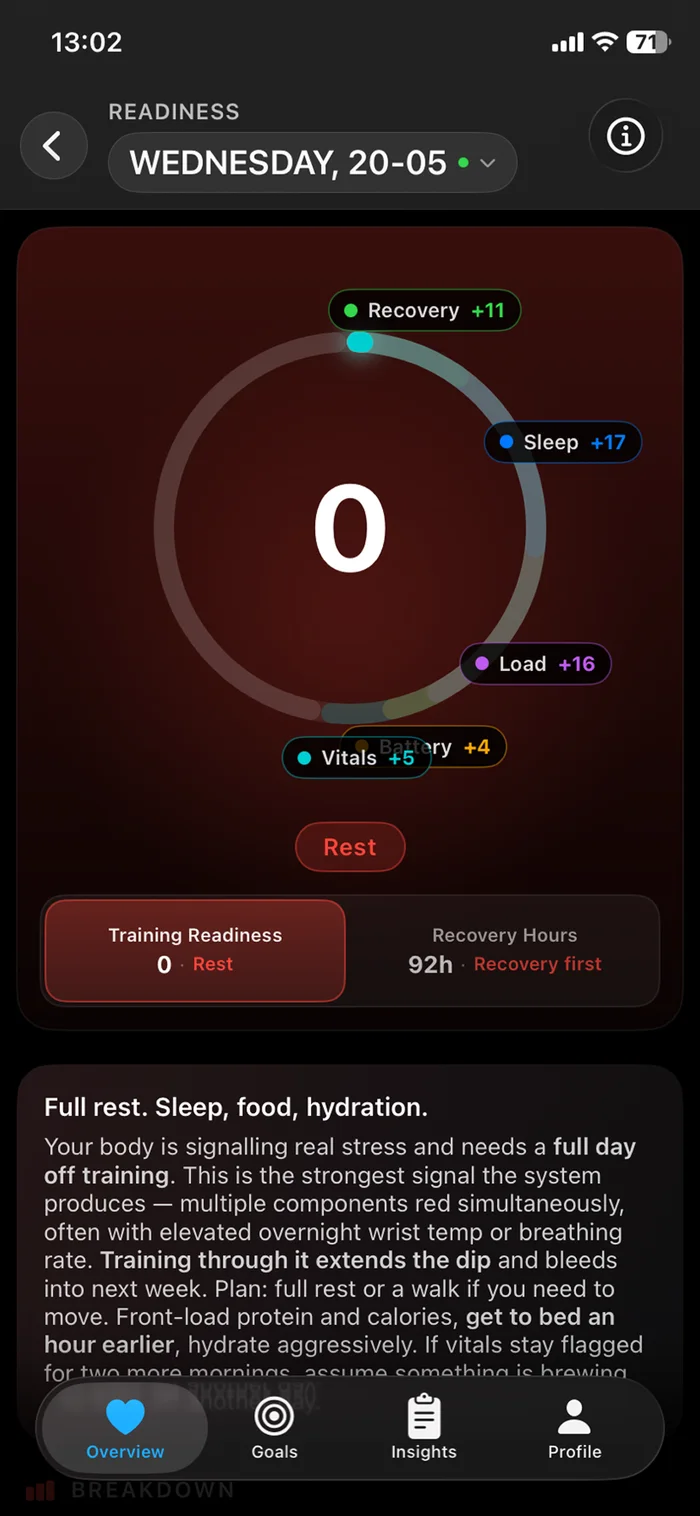
The data was never the missing piece. The interpretation was. That's the entire job Livity does: it reads what your watch already collected and gives you one clear answer each morning.
The short version
Side by side, honestly
The band and its membership, against the watch you already own plus Livity.
| Whoop 5.0 / MGmembership required |  Your watch + Livity Your watch + Livity | |
|---|---|---|
| Works with hardware you already own | – | Yes |
| Keeps working if you stop paying | – | Yes |
| Free tier you can actually use | – | Yes |
| Pay once, keep it forever (no subscription) | – | Yeslifetime option |
| Your history stays available if you stop paying | – | Yes |
| Sleep, heart rate, resting heart rate | Yes | Yes |
| Daily recovery score | Yes | Yes |
| AI coach you can ask questions | Yes | Yes |
| Body / fitness age estimate | Yes | Yes |
| GPS route without carrying your phone | – | Yesvia your watch |
| Works with Apple Watch, Garmin and Fitbit | – | Yes |
| On-wrist screen, time and notifications | – | Yesvia your watch |
| FDA-cleared ECG | Yes | Yesvia your watch |
| Cuffless blood pressure estimates | Yes | – |
| Comfortable 24/7, two-week battery | Yes | partial |
Whoop rents you a very good band. Livity reads the one you already bought.
Thinking about cancelling?
Livity doesn't plug into Whoop — I'd rather say that plainly than let you find out later. What it does is pick up from your watch, so the day you stop paying you still get a recovery score the next morning.
Whoop can export some data to Apple Health — sleep, heart rate and workouts — and Livity will read whatever it finds there. It won't bring your HRV across, because Whoop doesn't write that to Apple Health.
Worth doing before you cancel: export your Whoop history from their app while you still have access to it.
What it actually looks like
A normal Thursday
You wake up
One number, not a wall of charts. Recovery 61 — slept fine, but your HRV is still under your baseline from Tuesday's session.
You ask why
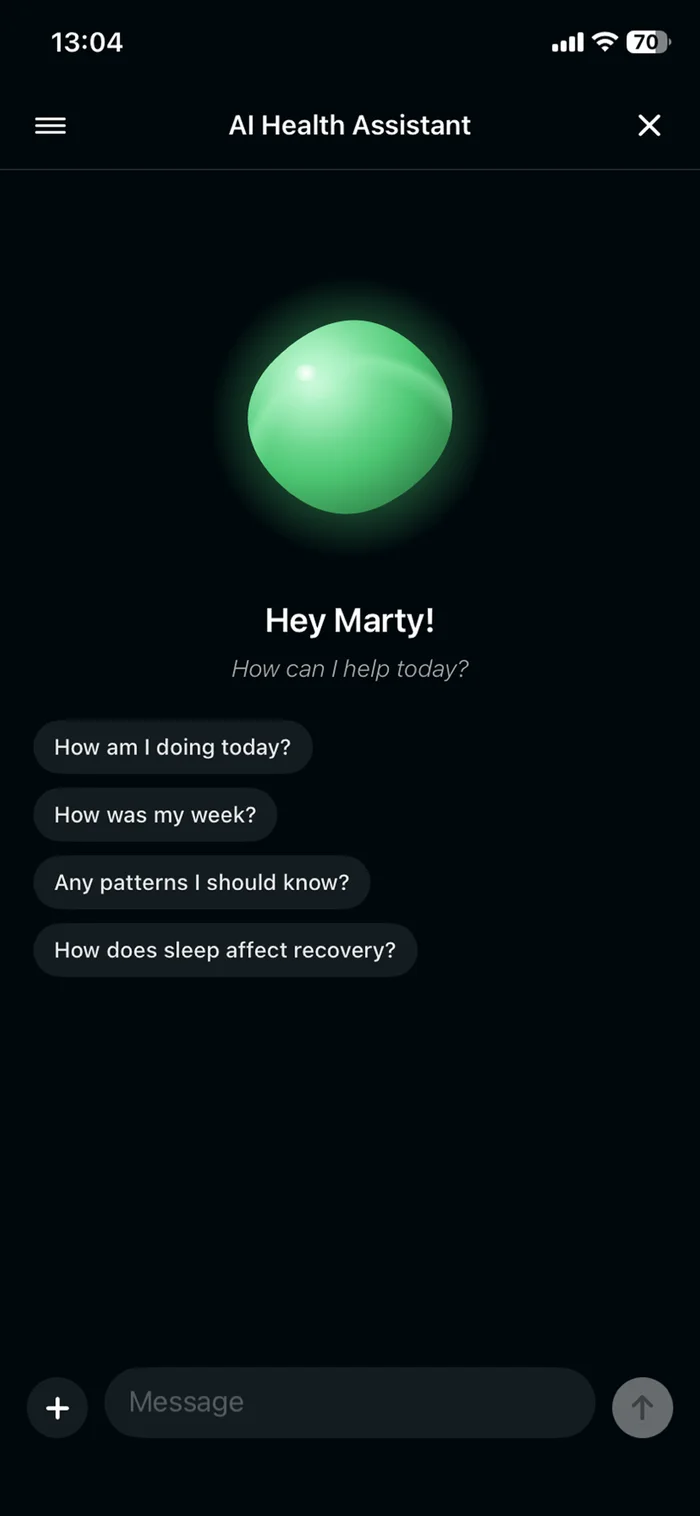
The coach answers in plain language, and it remembers what you told it you were training for.
You decide
Intervals today or an easy hour? Livity already told you which one your body signed off on.
40,000+ people · 1,000+ five-star reviews
“Best health app I've tried. Great features at a good price. Lifetime member already! Developer is very responsive on Reddit.”
“Recovery score helps plan workouts. Sleep tracking improved my rest. 💤 Stress tracking is accurate. Body battery feature is useful! 🔋”
“Love how this app combines everything in one place! Training load insights help me avoid burnout. 💪 The monthly recaps are beautifully designed. Fitness age feature is eye-opening. Great value!”
Your health data stays yours
Livity reads your health data to score it — that's the whole job. We don't sell it, we don't use it for interest-based advertising, and we don't use it to train our own AI models.
You can delete supported chats, memories and reports from inside the app, and request account deletion whenever you want.
Full detail — including what we keep and for how long — is in our privacy policy.
Honest answers
Do I have to wear my watch to bed?
Yes — and that’s the trade. A Whoop band is more comfortable overnight and lasts two weeks on a charge. Most people charge a watch while they shower or make coffee, which covers the night. If wearing a watch to bed is a dealbreaker, Whoop genuinely is the comfier option.
Does Livity connect to my Whoop?
No — there’s no Whoop integration, and I’d rather tell you now. Whoop can export sleep, heart rate and workouts to Apple Health and Livity will read those, but it won’t bring your HRV across, because Whoop doesn’t write HRV to Apple Health. Livity works best reading an Apple Watch, Garmin or Fitbit directly.
Isn’t Whoop more accurate?
Whoop has spent years on its recovery model and WHOOP MG is FDA-cleared for ECG — I’m not going to claim I out-measure it. Livity’s job is interpretation: taking what your own device already records and turning it into one clear answer each morning.
What happens to my Whoop data if I cancel?
That’s Whoop’s call, not mine. You keep the strap once your commitment is served, but it stops tracking, and your history stays locked until you subscribe again. Export your data from the Whoop app before you cancel, while you still have access to it.
What if I don’t own a watch at all?
Livity still works with just your iPhone, using steps and whatever else Apple Health has. Less depth than with a watch, but it costs nothing to find out.
Is it free?
Livity is free to download and free to start. There’s an optional Pro upgrade, including a one-time purchase if you’d rather not have another subscription.
Try it before you start the meter.
Livity is free to start and works with the watch already on your wrist. No band to rent, nothing to send back.
Free to download · 4.7★ on the App Store