
Apple Sleep Score Explained: What It Means and How to Improve It

Every morning, your Apple Watch can hand you a verdict on last night's sleep: a single number from 0 to 100. But a number without context is just noise. Understanding how Apple's Sleep Score is calculated — and what it's actually tracking — is what turns that number into something useful.
What Is the Apple Sleep Score?
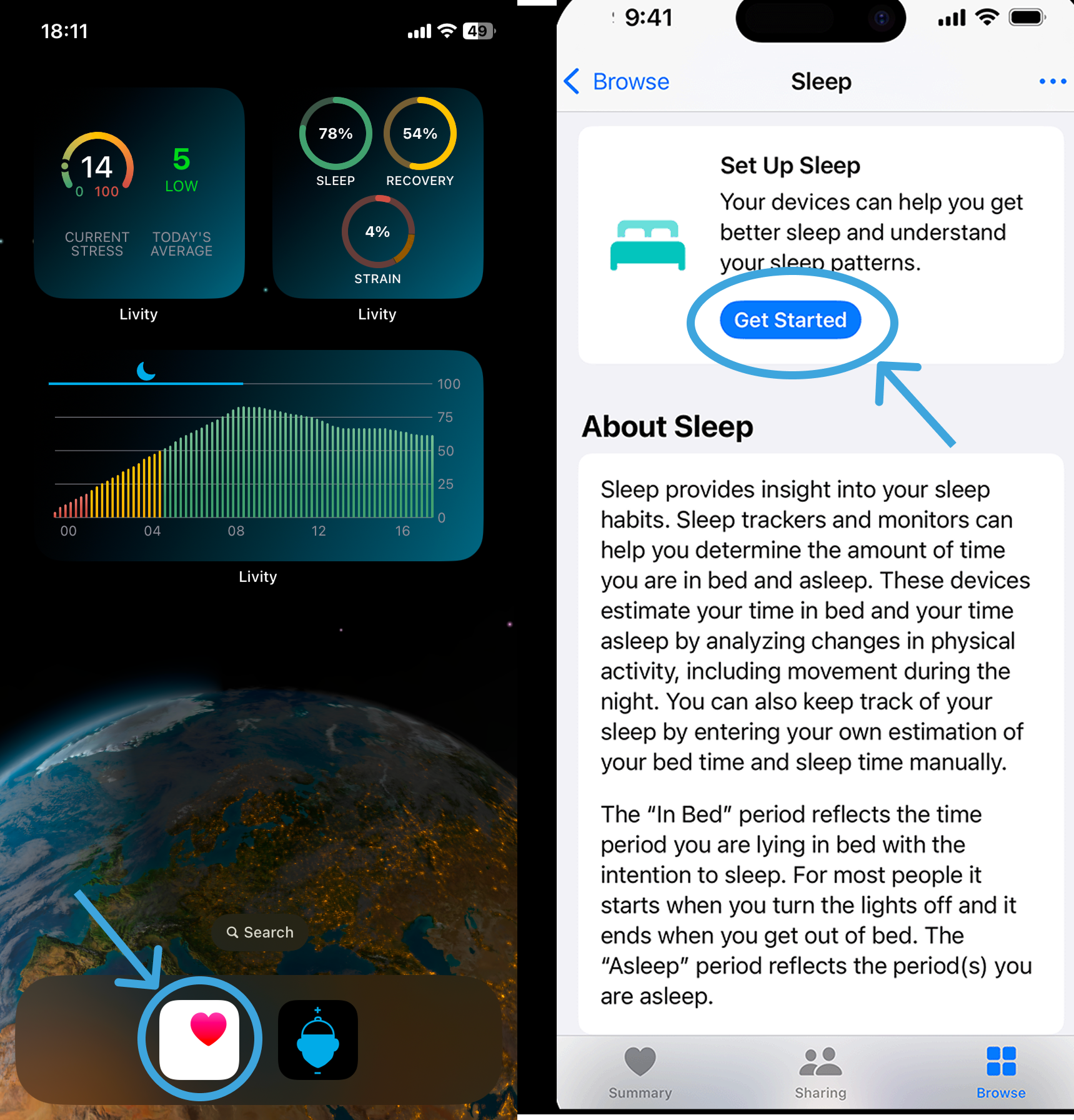 Livity uses your Apple Watch sleep data to give you a fuller picture of recovery — no extra hardware needed.
The Apple Sleep Score is a feature introduced in watchOS 26, giving Apple Watch users a nightly score that summarizes sleep quality. It replaced the older time-in-bed approach with a more meaningful rating based on multiple sleep factors.
Your score runs from 0 to 100 and lands in one of five categories:
- Very Low (0–40) — significantly below healthy sleep targets
- Low (41–59) — below your goals in key areas
- OK (60–74) — adequate but room for improvement
- High (75–89) — solid sleep, close to optimal
- Very High (90–100) — meeting or exceeding all sleep targets
Apple updated these thresholds in watchOS 26.2, raising the bar for each tier and renaming the top category from "Excellent" to "Very High."
How the Sleep Score Is Calculated
The score is built from three factors, each weighted differently:
1. Sleep Duration — up to 50 points This is the biggest driver of your score. Apple measures how long you actually slept (not just how long you were in bed) and compares it to your sleep goal. The CDC recommends 7–9 hours for adults. If you nail your target, you collect the full 50 points.
2. Bedtime Consistency — up to 30 points Your body's circadian rhythm thrives on routine. Apple tracks how consistent your actual sleep time is relative to your recent history. Going to bed at wildly different times — even if you clock enough hours — will cost you points here.
3. Awake Periods — up to 20 points Some waking during the night is normal, but frequent or long wake periods fragment your sleep and reduce its restorative quality. Apple measures the number and duration of awake periods and scores you accordingly.
Why Consistency Matters More Than You Think
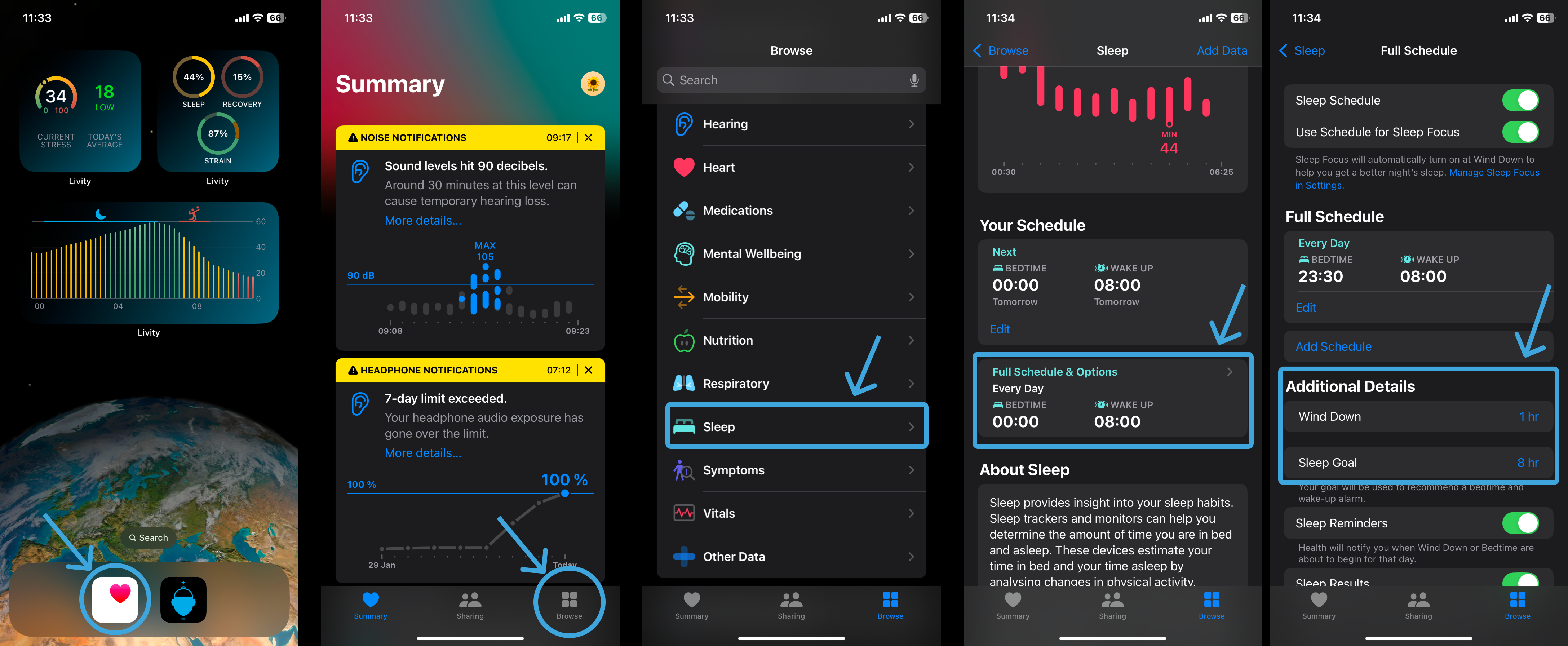
Setting a wind-down routine helps your Apple Watch — and your body — prepare for consistent, high-quality sleep.
The consistency factor is where most people lose points without realizing it. Staying up two hours later on weekends — what researchers call "social jetlag" — can disrupt your circadian rhythm and lower your sleep quality for days, not just overnight.
Research published in Current Biology found that social jetlag is associated with poorer sleep quality, increased fatigue, and higher rates of obesity. Your Apple Sleep Score's consistency weighting reflects this science: when you go to bed matters almost as much as how long you sleep.
This is why Livity's sleep insights pair your sleep schedule with recovery scores and body battery — so you can see not just whether you slept enough, but whether your sleep is actually restorative.
📱 Livity tracks your sleep quality, recovery, and body battery from your Apple Watch — see how last night's sleep actually affects your day. Try it free →
What a Good Sleep Score Actually Looks Like
A score of 75 or above indicates you're hitting your sleep goals and maintaining reasonable consistency. Elite athletes and highly health-conscious sleepers often aim for 85+.
Don't stress if your score fluctuates. A 70 after a long travel day is very different from a habitual 70. The score is most useful as a trend over 7–14 days, not a single-night judgment.
Apple also shows a 14-day average in the Health app, which is a better benchmark than any single night's reading.
How to Improve Your Apple Sleep Score
Set a realistic sleep goal. The duration component is worth 50 points. If your target is 8 hours but you consistently get 6.5, you're automatically capping your score. Set a goal that's actually achievable on most nights, then gradually extend it.
Lock in a consistent bedtime. The consistency component is worth 30 points and is entirely within your control. Pick a bedtime and stick to it — including weekends. Even a 30-minute drift compounds over time.
Set up a Wind Down routine. Apple's Sleep Focus dims notifications and locks your screen before bed. Use it. The habit cue of Wind Down starting at the same time each night reinforces your sleep signal.
Limit alcohol and late meals. Alcohol is one of the most disruptive sleep factors measured by wearables — it increases night waking and suppresses deep sleep, hitting both the awake periods and the sleep quality components of your score.
Keep your Apple Watch charged. The score only appears if your watch was worn during sleep with sufficient battery. Make charging before bed a habit: 30% is the minimum Apple recommends.
Frequently Asked Questions
What watchOS version do I need for Sleep Score? Sleep Score requires watchOS 26 (2025) or later, paired with an iPhone running iOS 26 or later. Make sure your software is up to date in Settings → General → Software Update.
Where do I find my Sleep Score? Open the Health app on your iPhone → Browse → Sleep → Sleep Score. You can also see it on your Apple Watch in the Sleep app each morning.
Why didn't I get a Sleep Score this morning? You need to wear your Apple Watch during sleep for at least 1 hour with sleep tracking enabled, and it must be sufficiently charged. Check Settings → Sleep → Track Sleep with Apple Watch is on.
Does Apple Sleep Score measure sleep stages? The score itself is based on duration, consistency, and awake periods — not sleep stages. Sleep stage data (REM, Core, Deep) is tracked separately in the Health app and isn't currently factored into the score calculation.
Is the Apple Sleep Score accurate? For duration and wake detection, Apple Watch performs well — research comparing it to polysomnography (clinical sleep testing) shows solid accuracy for total sleep time. Sleep stage breakdown is less precise, as with all optical wrist sensors.
Start Taking Your Sleep Score Seriously
A single number can't tell you everything about your sleep — but the Apple Sleep Score, when tracked consistently, gives you a clear, evidence-based signal about whether your sleep habits are actually working. Focus on the three levers: duration, consistency, and reducing disruptions.
Apps like Livity layer your sleep data on top of recovery, HRV, and body battery — so you can see exactly how last night's sleep is affecting today's energy and readiness.
Track your sleep with Livity — free to try on the App Store.

iOS developer with 7+ years of experience and an active volleyball player. Built Livity after spending months looking for advanced recovery and sleep tracking that worked natively with Apple Watch — and finding nothing. Uses his own HRV, sleep, and training-load data every day to shape what Livity measures.
More from this authorStart Your Wellness Journey Today
Live Your Best Life
Join thousands of users who are already tracking their health with Livity.